How I Animated My Portfolio with GSAP, Lenis, and Matter.js
Adding GSAP, Lenis, and Matter.js to a Nuxt SSR portfolio sounded great until timing, scroll, and performance problems started showing up. Here is what worked and what did not.
I wanted the portfolio to have weight
I had wanted to properly get into GSAP, Lenis, and Matter.js for a while. I had done a few isolated experiments, but I was missing a real place where I could put them together without turning a client project into a lab. The portfolio was perfect for that: if I crashed, I was the one taking the hit.
I was not just looking for a pretty website. I wanted it to actually feel alive. I wanted the scroll to have inertia, the hero not to come in like any generic landing page, some letters to feel like objects instead of flat text, and the doodles to look like they were being drawn right there in the moment.
On paper, it sounded great. In Nuxt with SSR, though, three libraries like these quickly turn into a mess of timing problems, lingering listeners, desynced scroll, and weak mobile performance.
I am not going to paste the whole production code here because it would be unreadable. What I am going to do is walk through the decisions I made, the specific problems I ran into, and the kind of simplified snippets I wish I had read before getting into it.
GSAP was the foundation, but the real key was cleanup
GSAP moves pretty much the whole portfolio. ScrollTrigger handles scroll-driven animation, and SplitText lets me treat text letter by letter. The starting point is the usual one:
import gsap from 'gsap'
import { ScrollTrigger } from 'gsap/ScrollTrigger'
import { SplitText } from 'gsap/SplitText'

gsap.registerPlugin(ScrollTrigger, SplitText)
The easy part was getting the first animation going. What actually caused trouble was something else: not leaving junk behind when components unmount. In an SPA that happens quietly. You navigate, mount one component, then another, then come back, and if you do not clean up properly, the triggers are still there even though the DOM is gone.
gsap.context() fixed exactly that for me. It groups everything created inside it and then reverts the whole thing when the component disappears. In Vue it stays pretty clean if you wrap it in a composable:
// useGSAP.ts
import { onUnmounted } from 'vue'
import gsap from 'gsap'
import { ScrollTrigger } from 'gsap/ScrollTrigger'

export const useGSAP = () => {
  let ctx: gsap.Context | null = null

  const initGSAP = (callback: () => void, scope?: Element | string) => {
    ctx = gsap.context(callback, scope)
    return ctx
  }

  onUnmounted(() => {
    ctx?.revert()
  })

  return { gsap, ScrollTrigger, initGSAP }
}
Then, inside each component, everything that falls under initGSAP() stays under control:
const { gsap, initGSAP } = useGSAP()
const boxRef = ref<HTMLElement | null>(null)

onMounted(() => {
  initGSAP(() => {
    gsap.from(boxRef.value, {
      opacity: 0,
      y: 60,
      duration: 0.8,
      ease: 'power3.out'
    })
  }, boxRef.value ?? undefined)
})
There was another detail that felt a bit silly, but it was very much a mobile issue: the browser bar appears and disappears, window.innerHeight changes, and ScrollTrigger reads that as a resize. The result was small shakes and constant recalculations while the user was scrolling.
This one line saved me:
ScrollTrigger.config({ ignoreMobileResize: true })
It looks like nothing, but it cut a lot of noise. It still recalculates when it actually should (for example, on orientation change), but it stops reacting to every tiny viewport movement.
Lenis and GSAP only feel right if they share a clock
Lenis interested me for one simple reason: I wanted smooth scroll without that "plugin pasted on top" feeling. The problem is that if you let Lenis and GSAP do their own thing, each one tries to keep its own rhythm. One has its own requestAnimationFrame, the other its ticker, and the gap may be small, but you can feel it.
The cleanest setup I found was disabling Lenis's internal loop and hanging it from the GSAP ticker. That way everything runs on the same frame:
import Lenis from 'lenis'
import gsap from 'gsap'
import { ScrollTrigger } from 'gsap/ScrollTrigger'

const lenis = new Lenis({ autoRaf: false })

lenis.on('scroll', ScrollTrigger.update)

gsap.ticker.add((time) => {
  lenis.raf(time * 1000)
})

gsap.ticker.lagSmoothing(0)
autoRaf: false stops Lenis from creating its own loop. Then GSAP feeds it the time on every frame, and lagSmoothing(0) removes an extra smoothing layer I did not want here. From that point on, scroll and triggers started feeling properly in sync.
In Nuxt, this sits better inside a client-side plugin so the Lenis instance is available app-wide:
// plugins/lenis.client.ts
export default defineNuxtPlugin(() => {
  const lenis = new Lenis({ autoRaf: false })

  lenis.on('scroll', ScrollTrigger.update)
  gsap.ticker.add((time) => lenis.raf(time * 1000))
  gsap.ticker.lagSmoothing(0)

  return {
    provide: { lenis }
  }
})
The navbar stopped acting weird once I stopped forcing it
The navbar hides when you scroll down and comes back when you scroll up. Nothing especially original. My first implementation solved it with ScrollTrigger and onUpdate. It worked almost all the time. The problem was that "almost". On first load, before Lenis had fully settled, the navbar sometimes disappeared on its own.
The fix ended up being simpler than the original idea: listen directly to the Lenis scroll event and forget about ScrollTrigger for this case.
const { $lenis } = useNuxtApp()

const showAnim = gsap.from(navEl, {
  yPercent: -100,
  duration: 0.35,
  ease: 'power2.out',
  paused: true
}).progress(1)

$lenis?.on('scroll', ({ scroll, direction }) => {
  if (direction === 1 && scroll > 80) {
    showAnim.reverse()
  } else if (direction === -1) {
    showAnim.play()
  }
})
That scroll > 80 mattered. Without it, any tiny gesture near the top would hide the navbar and it looked pretty bad.
The hero was built in three layers
The flashiest part of the portfolio lives in the hero. The title starts as "SAMUEL LOPEZ" and, as you scroll, some letters fall away, the gap collapses, and a hand-drawn h appears until it ends up as "SAMUh.LO".
I split it into three pieces because otherwise the whole thing got unmanageable way too quickly.
HeroTitle: the falling letters
Each letter that needed to disappear lives in its own <span> with a ref. There is also a wrapper that starts at zero width and then makes room for the drawn h.
<div class="inline-flex items-baseline">
<span>S</span><span>A</span><span>M</span><span>U</span>
<span ref="letraE1">E</span>
<span ref="letraL1">L</span>
<span ref="espacio"> </span>
<span ref="hWrap" style="width: 0; overflow: visible">
<DoodleH ref="doodleH" style="opacity: 0" />
</span>
<span>L</span><span>O</span>
<span ref="letraP">P</span>
<span ref="letraE2">E</span>
<span ref="letraZ">Z</span>
</div>
The timeline does four things: a slight imbalance, the fall, the collapse of the original gap, and finally the drawing of the h.
const tl = gsap.timeline({ paused: true })

tl.to(fallingLetters, {
  y: '-10px',
  rotation: (i) => [-8, 12, 0, -15, 8, -12][i],
  duration: 0.25,
  ease: 'power2.out',
  stagger: 0.02
})

tl.to(fallingLetters, {
  y: '120vh',
  rotation: (i) => [-40, 60, 0, -80, 50, -70][i],
  duration: 0.7,
  ease: 'power3.in',
  stagger: 0.04
}, '-=0.1')

tl.to(fallingLetters, {
  width: 0,
  opacity: 0,
  duration: 0.5
})
  .to(hWrapRef, {
    width: '0.85em',
    duration: 0.5
  }, '<')

tl.to(hPaths, {
  strokeDashoffset: 0,
  visibility: 'visible',
  duration: 0.85,
  ease: 'power2.inOut'
})
The important detail here is that the gap is measured in em, not pixels. It looks minor, but it made it scale naturally with the title size and saved me a lot of work between desktop and mobile.
HeroSubtitle: the crossed-out text and doodles
While the title is doing its thing, the subtitle comes in from another side. "Front-end Developer" appears, gets crossed out, and hand-drawn words enter around it. Each one is an animated SVG using the same strokeDashoffset trick I later reused across the whole project.
HeroSection: one trigger controlling everything
What paid off most here was not having several ScrollTriggers fighting each other. Both HeroTitle and HeroSubtitle expose their timeline through defineExpose, and then the main container distributes the scroll progress between them.
// HeroTitle.vue
defineExpose({ getTimeline: () => titleTimeline })

// HeroSubtitle.vue
defineExpose({ getTimeline: () => subtitleTimeline })
const titleTl = heroTitleRef.value?.getTimeline()
const subtitleTl = heroSubtitleRef.value?.getTimeline()

createPinnedScroll({
  trigger: pinWrapperRef.value,
  start: 'top top',
  end: '+=2500',
  phases: [
    { timeline: titleTl, start: 0, end: 0.6 },
    { timeline: subtitleTl, start: 0.6, end: 1 }
  ]
})
One trigger, two timelines, and a progression that was pretty easy to tune. For an animation this heavy, that gave me a lot more control than splitting the responsibility across several independent triggers.
The pin-spacer was the biggest UX problem
This is where I stopped the most. Not because of pure technical difficulty, but because the experience it left behind was bad.
When GSAP pins a section, it creates a pin-spacer that preserves the vertical gap while the animation is happening. If that animation uses 2500px of scroll, that gap is still there when you go back up. And that is where it gets ugly: the user has to sit through the whole animation rewinding in reverse.
That behavior really annoys me on other websites, so I did not want to leave it as-is. Killing the trigger right at onLeave looked like the obvious answer, but I tried it and it created a visible micro-jump, because the section was still too close to the viewport.
The real solution was to wait longer. A lot longer. Until the user had gone at least one more full viewport below the section. At that point nothing from the hero was visible anymore, and I could reposition the scroll without it being too obvious.
ScrollTrigger.create({
  trigger: pinElement,
  start: 'top top',
  end: '+=2500',
  pin: true,

  onLeave: (self) => {
    const pinSpacerHeight = self.end - self.start
    const safePoint = self.end + window.innerHeight

    ScrollTrigger.create({
      trigger: document.body,
      start: () => `top+=${safePoint}px top`,
      once: true,

      onEnter: () => {
        const scrollNow = window.scrollY
        const targetScroll = scrollNow - pinSpacerHeight

        self.kill()
        window.scrollTo(0, targetScroll)
        ScrollTrigger.refresh()
        lenis?.scrollTo(targetScroll, { immediate: true })
      }
    })
  }
})
The order matters a lot here. First the main trigger disappears, then I compensate the scroll in the same frame, then I refresh ScrollTrigger, and only then do I sync Lenis. If you change the order, the jumps come back or you get desync between the real scroll and Lenis's internal scroll.
The result is much cleaner: once the animation has been seen, that part behaves like static HTML. You can go back up quickly without having to watch the hero play backward.
On mobile I stopped insisting on scroll-driven animation
I tested the portfolio with people on mobile, and the conclusion was pretty clear: nobody was "playing" with the hero scroll. They just swiped and kept going down. If the animation depended too much on the gesture, it either stayed half-done or went by without much impact.
At that point, there was no point forcing it. On mobile I switched to autoplay:
const isMobile = window.matchMedia('(max-width: 768px)').matches

if (isMobile) {
  const masterTl = gsap.timeline({ paused: true })
  phases.forEach((phase) => masterTl.add(phase.timeline.play(), '>'))
  masterTl.timeScale(1.8)

  setTimeout(() => masterTl.play(), 1200)

  ScrollTrigger.create({
    trigger: element,
    start: 'top 60%',
    onEnter: () => masterTl.play(),
    once: true
  })
}
On desktop it makes sense for the user to control the pace with the scroll. On mobile, not always. Sometimes you just have to stop chasing the pretty idea and adapt to how people actually use the page.
Matter.js came in so the contact section would be more than decoration
If I was going to use physics, I wanted it to be obvious. The contact section has the word "CONTACT" falling with bounce, rotation, and real gravity. And when you click, everything shoots upward.
The base setup here is pretty direct: a Matter.js engine to calculate the physics, and a canvas to draw it. One thinks, the other paints.
import { Engine, Runner, Bodies, World, Body } from 'matter-js'

const engine = Engine.create({ gravity: { x: 0, y: 4.5 } })
const runner = Runner.create()

World.add(engine.world, [
  Bodies.rectangle(W / 2, H + 100, W * 2, 200, { isStatic: true }),
  Bodies.rectangle(-100, H / 2, 200, H * 4, { isStatic: true }),
  Bodies.rectangle(W + 100, H / 2, 200, H * 4, { isStatic: true })
])

const letterBody = Bodies.rectangle(x, spawnY, letterWidth, letterHeight, {
  restitution: 0.25,
  friction: 0.9,
  frictionAir: 0.015,
  density: 0.005
})

Body.setVelocity(letterBody, { x: (Math.random() - 0.5) * 4, y: 0 })
Body.setAngularVelocity(letterBody, (Math.random() - 0.5) * 0.15)

World.add(engine.world, letterBody)
Runner.run(runner, engine)

const draw = () => {
  ctx.clearRect(0, 0, W, H)

  for (const { body, char } of letterBodies) {
    ctx.save()
    ctx.translate(body.position.x, body.position.y)
    ctx.rotate(body.angle)
    ctx.fillText(char, 0, 0)
    ctx.restore()
  }

  requestAnimationFrame(draw)
}

requestAnimationFrame(draw)
Matter.js does not draw anything for you. It only calculates. And for this case, that was perfect, because I wanted full visual control from the canvas.
On mobile it did not fit, so I had to split it
"CONTACT" on a single line did not fit well on mobile if I wanted to keep a decent size. I split it into two lines: CON and TACT. And since I did not want them colliding in a weird way, I made the second row fall first and the first row arrive after.
if (isMobile) {
  spawnRow(rowBottom, W, -(letterHeight / 2), staggerDelay)

  const topSpawnY = -(
    letterHeight / 2 +
    rowBottom.length * staggerDelay +
    fontSize * 1.8
  )

  spawnRow(rowTop, W, topSpawnY, staggerDelay)
}
I also increased gravity on mobile to 8.5. Not for realism, but for attention span: if the letters took too long to settle, people were already on the next section.
The physics only starts when it should
There was no point in having Matter.js running when that section was not even on screen. I activated it with IntersectionObserver, and I also paused and resumed it depending on visibility.
const observer = new IntersectionObserver((entries) => {
  for (const entry of entries) {
    if (entry.isIntersecting && !triggered) {
      triggered = true

      requestAnimationFrame(() => {
        requestAnimationFrame(() => {
          syncCanvasSize()
          initPhysics(canvas, 'CONTACT')
        })
      })
    } else if (triggered) {
      entry.isIntersecting ? resume() : pause()
    }
  }
}, {
  threshold: [0, 0.4]
})
That double requestAnimationFrame is one of those tiny tricks that saves you from stupid bugs with canvas and layout. The first one lets the browser paint. The second one lets the real element size settle before calculating anything serious.
The slam was the fun part
When the user clicks the section or the email, the letters get launched upward. There is not much science to it: random upward velocity, some rotation, and then let Matter.js do the rest.
const slam = () => {
  for (const { body } of letterBodies) {
    Body.setVelocity(body, {
      x: (Math.random() - 0.5) * 8,
      y: -(15 + Math.random() * 10)
    })
    Body.setAngularVelocity(body, (Math.random() - 0.5) * 0.3)
  }
}
Simple, yes. But it is the kind of interaction that makes the section stop being just a background animation and start responding to the user.
The doodles were visual, but the real work was in the SVG
All over the portfolio there are underlines, circles, scratch-outs, and hand-drawn words. I made them in Affinity and exported them as SVG because I wanted the stroke to feel a bit rougher and less perfect than any icon generated in a hurry.

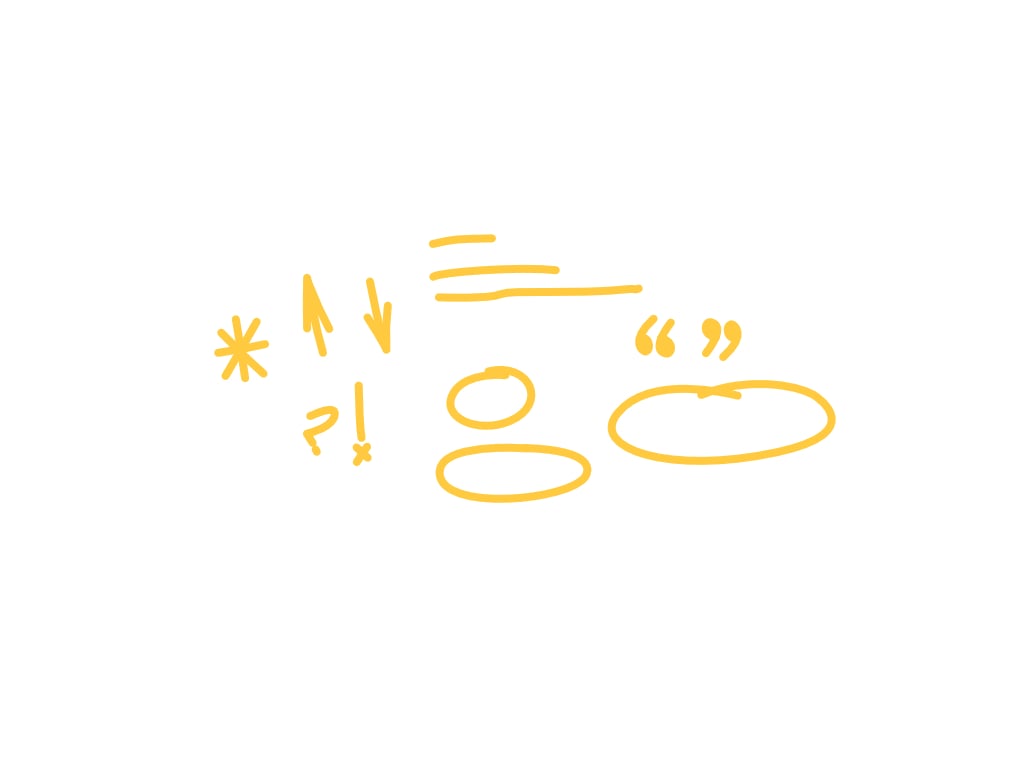
The technique for "drawing" a path in real time is nothing new. It is the classic strokeDasharray and strokeDashoffset setup. What mattered was not discovering it, but making it work well with SSR, with several different SVGs, and with reusable components.
The detail that annoyed me: rounded caps
When a path uses stroke-linecap: round, the rounded end sticks out a bit. If you calculate the exact length and animate from there, sometimes a tiny dot appears too early. That happened to me a few times until I stopped fighting it and added a small margin:
const preparePaths = (svgEl: SVGElement) => {
  const paths = svgEl.querySelectorAll('path')

  paths.forEach((path) => {
    const length = path.getTotalLength() + 20
    path.style.strokeDasharray = `${length}`
    path.style.strokeDashoffset = `${length}`
    path.style.visibility = 'hidden'
  })

  return paths
}
That +20 was exactly what I needed so nothing would peek out before the animation started.
The SSR flash also showed up here
In SSR, the initial HTML arrives with the paths visible. If you wait until Vue hydrates and only then apply the gsap.set(), for a brief moment the full SVG is visible. A tiny flash, but enough to ruin the effect.
The cleanest way I found was hiding the full SVG first, and then preparing the paths.
const preparePaths = (svgEl: SVGElement) => {
  gsap.set(svgEl, { opacity: 0 })

  const paths = svgEl.querySelectorAll('path')
  // ... preparar longitudes y offsets
}
And when it is time to draw it, I make it visible in the first frame of the timeline:
tl.to(svgEl, { opacity: 1, duration: 0.01 })
tl.to(paths, {
  strokeDashoffset: 0,
  visibility: 'visible',
  duration
})
Turning it into a Vue component saved me from repeating code everywhere
I ended up building a script that transforms exported SVGs into Vue components with an exposed ref. That way, the composable that animates doodles can access the real DOM element without smashing encapsulation to pieces.
<script setup>
import { ref } from 'vue'

const svgRef = ref<SVGSVGElement | null>(null)
defineExpose({ svg: svgRef })
</script>

<template>
  <svg ref="svgRef" viewBox="0 0 200 20" fill="none" xmlns="http://www.w3.org/2000/svg">
    <path
      d="M2,10 Q100,2 198,10"
      stroke="currentColor"
      stroke-width="2"
      stroke-linecap="round"
    />
  </svg>
</template>
Using currentColor instead of a fixed color also worked out nicely. That way, doodles inherit the color of the context and I do not have to keep duplicate variants for dark and light backgrounds.
There was no silver bullet keeping this from breaking
Performance did not come from one miracle optimization. It came from several small, pretty unglamorous decisions that, together, stopped the page from falling apart.
I already mentioned ignoreMobileResize, which got rid of ridiculous recalculations on mobile. But there was more.
Matter.js: pausing and resuming is better than destroying
In the contact section, I do not destroy the engine every time it leaves the viewport. I pause it. Recreating it over and over is more expensive than leaving it ready to come back.
const pause = () => {
  Runner.stop(runner)
  cancelAnimationFrame(rafId)
  rafId = null
}

const resume = () => {
  Runner.run(runner, engine)
  rafId = requestAnimationFrame(draw)
}
With IntersectionObserver, that is enough to decide when things should stop and when they should start again.
On the 404 page I stopped the physics as soon as they stopped adding anything
The 404 page also uses physics for the number. Once it falls, bounces a little, and stays still, keeping frames running is just wasting CPU. There I added a simple settling detector.
let settleCount = 0

const draw = () => {
  const speed = body.speed + Math.abs(body.angularSpeed)

  if (speed < 0.05) {
    settleCount++
    if (settleCount >= 60) {
      Runner.stop(runner)
      return
    }
  } else {
    settleCount = 0
  }

  rafId = requestAnimationFrame(draw)
}
If it stays practically still for around a second, everything stops. Visually the user loses nothing, and the page stops working in the background.
Resize runs through a debounce
Resizing the window triggers a ton of calculations: canvas, offsets, triggers. If you react to every single pixel of change, you end up redoing work constantly.
let resizeTimer: ReturnType<typeof setTimeout> | null = null

window.addEventListener('resize', () => {
  if (resizeTimer)
    clearTimeout(resizeTimer)

  resizeTimer = setTimeout(() => {
    rebuildPhysics()
    ScrollTrigger.refresh()
  }, 300)
})
For the physics specifically, I also only reinitialize if the width actually changes in a meaningful way. If the difference is tiny, I ignore it:
const newWidth = container.clientWidth
if (Math.abs(newWidth - prevWidth) < 50) return
It is not a brilliant trick. It is just about setting a sensible limit and not recalculating for no reason.
What I would repeat and what I would not
Yes, it was worth it. But not because everything went smoothly. Quite the opposite: because it forced me to solve problems that do not show up in small demos.
GSAP still feels like the strongest piece of the stack to me. The documentation is good, the errors are usually pretty readable, and gsap.context() works really well with Vue when you want to keep things clean. Lenis does require locking down the loop and synchronization properly, but once that is in place, it does not cause too much trouble.
Matter.js surprised me in a good way. It is quite direct for this kind of effect: engine, bodies, world, and a canvas that draws what is needed. No excessive magic. And the doodles are probably still the most personal part of the whole portfolio. The technique is old, sure, but turning hand-drawn strokes into reusable components gives it something that would have been hard to get from a more generic solution.
If I rebuilt it today, I would review the horizontal scroll a bit more carefully, because it has its own Lenis instance and that forces you to be careful so it does not interfere with the global one. And I would also ask myself again whether all the hero complexity really needs exactly that pinning system, or whether I could now achieve something similar with fewer pieces.
But honestly, I do not regret it. The result feels pretty close to what I wanted from the beginning: a website that does not just move, but feels built with intention.